



Cybertex logo
Cybertex for Teams

No One Does Business Communications in MS Teams Better than Cybertex

Cybertex phone and SMS functionality, contact center capabilities, and advanced archiving all integrated with Microsoft Teams for a seamless, embedded experience.

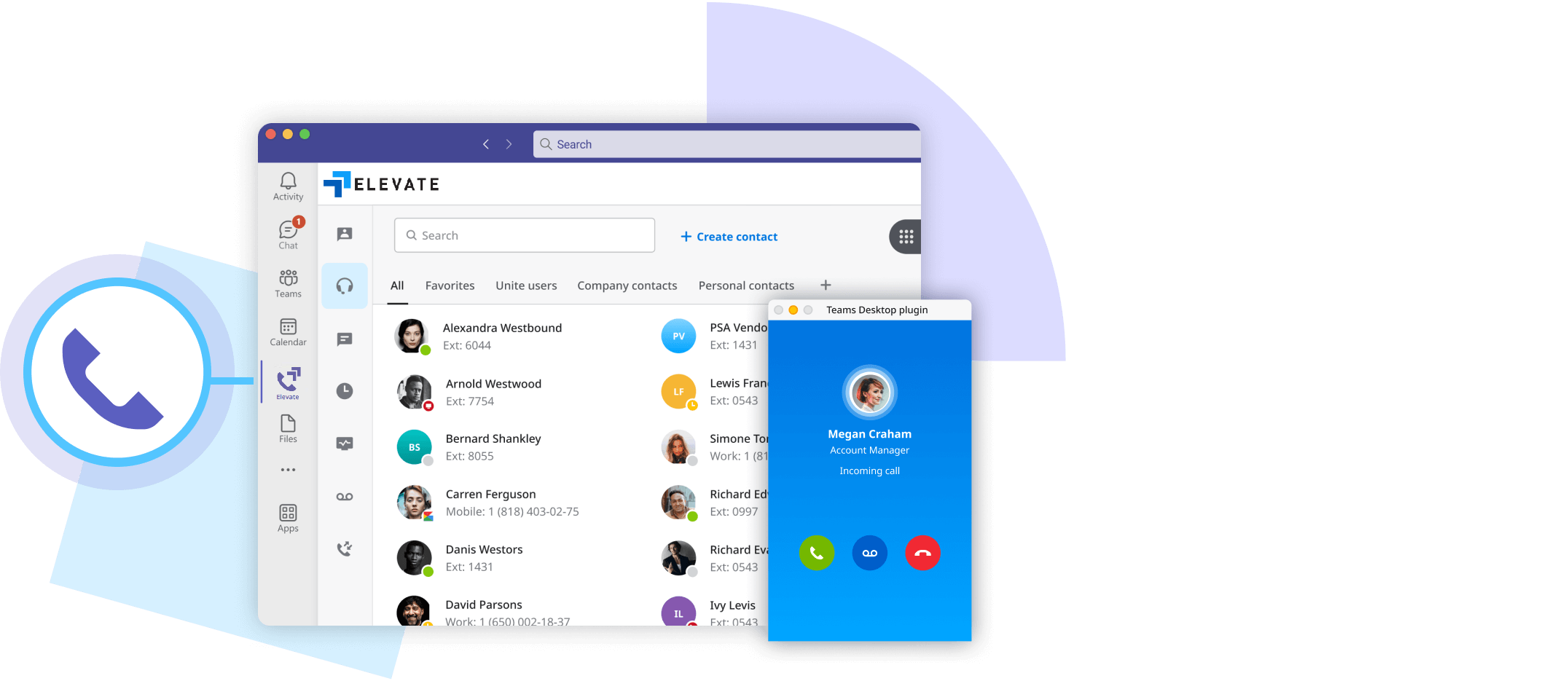
Elevate for Teams – embedded calling, SMS, and contact center
Elevate for Teams overview
Elevate logo

Elevate For Teams:All-in-One Solution

Elevate for Teams is designed to transform how you communicate and collaborate. If your business relies on Microsoft Teams for collaboration (chat, meetings, files), this integration is the perfect solution to enhance your efficiency, streamline your operations, and boost productivity—all within the familiar Teams app.

Contact Center logo

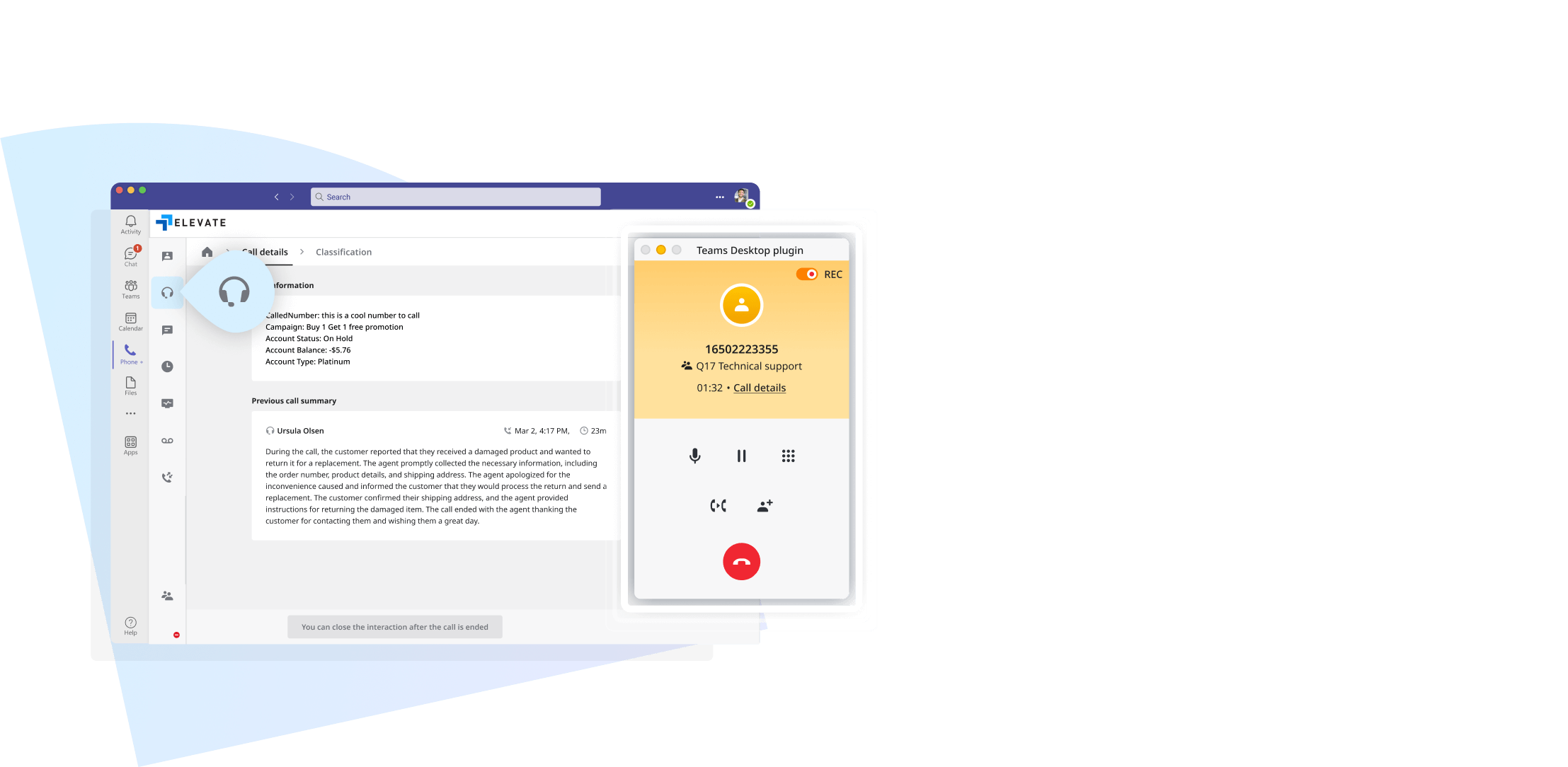
Contact Center for Microsoft Teams

Cybertex integrates an AI-powered Contact Center directly into Microsoft Teams, eliminating the need for an extra Teams Phone license and consolidating communication to eliminate productivity gaps. Businesses can deploy Contact Center either alongside Cybertex Elevate for a fully embedded experience, or as a standalone solution within Teams, offering flexible options to enhance customer service.

Contact Center for Microsoft Teams
Archiving for Microsoft Teams
Archiving logo

Archiving with Microsoft Teams

Capture, retain and search your Elevate and Contact Center interactions within Teams. Through Archiving's centralized platform, organizations can effectively manage their communications, safeguard their operations, build insights across all available channels, and support various productivity, legal, and compliance requirements.

Embedded Teams Experience

Explore how Elevate's advanced communication features, Contact Center, and Archiving work together with Microsoft Teams collaboration features, all inside the Teams app.

FeatureTeamsUse Teams forElevateUse Elevate forContact CenterUse CC for
Chat/Instant MessagingYesNoNo
Video MeetingsYesNoNo
File Sharing & Cloud StorageYesNoNo
Enterprise PBX (100+ Calling Features)NoYesNo
Unlimited Calling (Domestic + 33 countries)NoYesNo
Archiving for Teams and Communications Data (Retention options up to 10 years)NoYesYes
Call Monitor, Barge, WhisperNoYesYes
Elevate Mobile AppNoYesYes
Advanced Hunt GroupsNoYesNo
3rd Party Integrations (Salesforce, ServiceNow, NetSuite, and more)NoYesYes
Dashboard & ReportsNoYesYes
Advanced Reporting and AnalyticsNoNoYes
Omnichannel Support (Voice, SMS, Chat, Email)NoNoYes
Intelligent Call RoutingNoNoYes
Call QueuingNoYesYes
Interactive Voice Response (IVR)NoNoYes
Customer Self-Service ToolsNoNoYes
Outbound Customer Engagement (Voice, SMS, Email)NoNoYes
AI Interaction SummaryNoNoYes
AI Sentiment AnalysisNoNoYes
Real-Time Agent ManagementNoNoYes
AI Workforce EngagementNoNoYes
AI Quality ManagementNoNoYes
Post-Call SurveyNoNoYes

All About Cybertex's Unified Communications

What Is the Elevate for Teams Embedded Solution?

The Elevate for Microsoft Teams Embedded solution is a powerful integration of Cybertex Elevate's cloud-based phone system with Microsoft Teams, providing a seamless communication and collaboration experience within a single platform. Collaboration features including chat, meetings, and file sharing are utilized in Teams, while communication features, such as advanced calling and SMS, are all handled via the Elevate tab, all within the Teams app.

What Is the Difference Between Elevate for Teams Embedded and Elevate for Teams Direct Routing?

Both Elevate for Teams Embedded and Elevate for Teams Direct Routing deliver a fully integrated calling experience directly inside the Teams interface, including the Teams mobile and desktop apps. The Elevate for Microsoft Teams Embedded solution does not require a Microsoft Teams Phone license and supports a comprehensive set of features including enterprise-grade calling, SMS messaging, Archiving and Contact Center. Embedded gives you more control, more value, and a simplified deployment experience. Direct Routing, by contrast, requires a Microsoft Teams Phone license and is configured through Microsoft's own infrastructure, with calling accessed through the native Teams dialer.

Do I Need a Microsoft Teams Phone License to Use the Elevate for Teams Embedded Solution?

No, the Elevate for Teams Embedded solution provides advanced calling functionality directly within the Teams app without requiring a separate Microsoft Teams Phone license.

How Does the Elevate Embedded Experience with Microsoft Teams Support Business Continuity and Seamless Communication?

Elevate seamlessly embeds advanced calling and SMS features directly within the Microsoft Teams interface via the Elevate tab, allowing users to communicate without leaving Teams. In the event of Teams connectivity issues, Elevate ensures business continuity by allowing users to continue placing and receiving calls through the Elevate mobile or web app. This built-in redundancy keeps communication flowing, no matter where or how disruptions occur.

What Are Some Key Features of the Elevate for Teams Embedded Solution?

Key features include reliable, high-quality calls, advanced call center features (call queues, monitor, whisper, barge), business SMS, 30-day rolling Archiving, global connectivity, voicemail transcription, and CRM integrations. You may also add Contact Center which gives you access to AI-powered customer communication capabilities for an additional charge.

Can I Sync My Presence Status Between Elevate and Teams?

Yes, you can easily sync your presence status between Elevate and Teams, ensuring an uninterrupted workflow and helping you stay focused throughout your day.

What Are the Benefits of Using Elevate for Teams Embedded, Including on the Teams Mobile App?

Elevate for Teams Embedded boosts efficiency, streamlines workflows, and improves the customer experience — all while reducing costs by eliminating the need for a Teams Phone license. On mobile, users can place outbound business calls directly from the Microsoft Teams app using their work number, delivering a consistent and professional calling experience across devices. Personal numbers stay private, and the communication experience remains seamless, whether users are at their desk or on the move.

Can I Use Elevate for Teams Embedded on the Microsoft Teams Mobile App, and Is SMS Messaging Supported?

Yes, you can place business calls directly from the Teams mobile app using the Elevate for Teams Embedded solution. To enable this, the Cybertex Elevate mobile app must also be installed on your mobile device, as it supports the call connection behind the scenes. This allows users to place business calls using their work number while keeping their personal number private. SMS messaging is not currently supported in the Teams mobile app, but it is planned for a future update.

What Other Software Integrations Does Microsoft Teams Embedded Support?

The Microsoft Teams Embedded solution supports integration with a wide range of third-party applications such as CRM systems, helpdesk software, and cloud storage services. Popular integrations include Salesforce, HubSpot, Zendesk, and Google Workspace, allowing for a fully connected ecosystem across business operations.

Can Microsoft Teams Embedded Scale with My Business?

Absolutely! Microsoft Teams Embedded is designed to scale with your business. Whether you're a small business or an enterprise, the system can grow as your needs evolve, supporting everything from adding new users to expanding features like call center capabilities or AI-powered analytics.

What Are the Costs Associated with Microsoft Teams Embedded?

The Microsoft Teams Embedded solution offers flexible pricing based on the number of users and additional features needed, such as call center capabilities or enhanced archiving. There are no hidden fees, and the solution is cost-effective, especially when compared to traditional phone systems and separate licenses for Teams Phone.

How Do I Get Started with Elevate for Teams Embedded?

To get started, contact our sales team for a demo, and they will guide you through the setup process, ensuring a smooth integration with your existing Teams environment.

Contact
Interested in talking to sales?
Call us to start the conversation.
1.888.882.8081

Request a Call Back